I’m watching “The Orville” right now and Kelly is rocking the hell out of this song during karaoke.
I’m beautiful and tough like a diamond…or beef jerky in a ball gown.


I’m watching “The Orville” right now and Kelly is rocking the hell out of this song during karaoke.


I remember the individual was frustrated because without the app, you couldn’t modify anything on the device…which seems very bad.
Sadly, that’s how this one is but the defaults are sane enough that you could get by without it. I didn’t buy it for the features that need the cloud service, so if those are unavailable, that was fine for my use case. The consolation is that configuring it can all be done with just the app over Bluetooth.
I’m hoping someone reverse engineers the Bluetooth protocol. I did a HCI dump while it was connecting and streaming data, but I can’t make the slightest bit of sense of it.


Literally that one, but I have the Gen 2 version.
Smartphone is not necessarily required, but if you want to change any of the settings (AC charge rate, maximum discharge depth, etc), you’ll need to use the app. You can use the app to connect to it via bluetooth directly. That said, it’s possible to use it without any app at all with the default settings and it works fine.
The app tries to steer you toward making an Anker account and connecting the unit to wifi (some features like WeatherGuard, time of use charging, etc require that) but you can use it without an account and connect locally via bluetooth. That’s how I do it, so no issues with a cloud connection as it’s not even using it. Though I did complain to support about how the app treats that use case as a second-class citizen. (When you open the app, it always lands you on the signup/login page and you have to click “Skip” in tiny text at the bottom to use the app locally via BT). The app also nags you that Google Play Services is required but it works fine without it.
I do use the app for remote monitoring and once to set the max discharge depth from 1% to 15% but otherwise it works fine standalone. The only thing making me slightly consider setting up the cloud connection is the HomeAssistant integration; there’s a module to tie it into HA, but it uses the cloud API rather than connecting over bluetooth :(


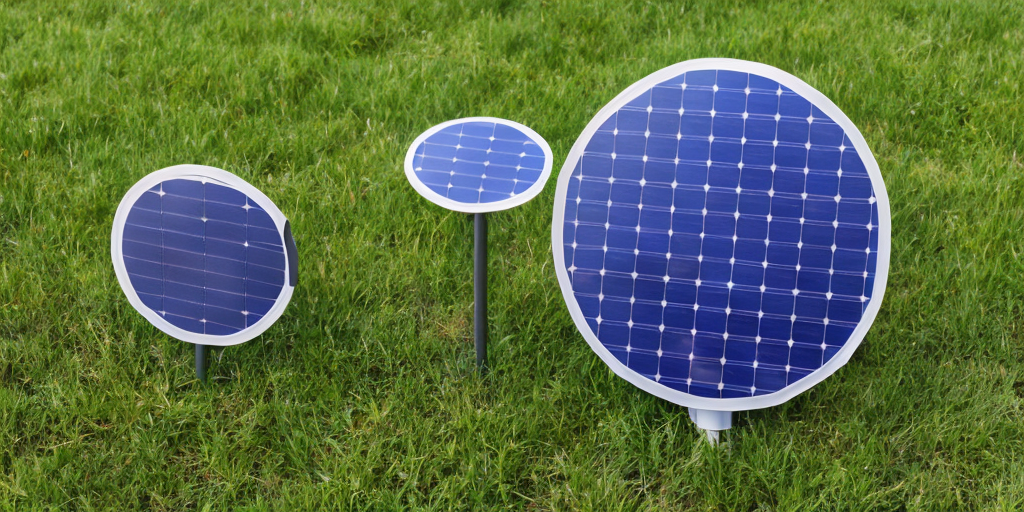
Locally, there’s nothing (not even scammers). I got 4x200 watt panels from Amazon and am using those with an Anker Solix C1000.
For the expansion in the spring, I’m probably going to order more of the same PV panels. For the combo inverter/charger, I’m looking at the ones from SungoldPower currently as well as a few others. Battery is still in the research phase, but the inverter can auto switch between solar and utility without the battery.
The wiring I can handle but will probably have an electrician do the wiring from my main breaker to the subpanel that’s fed from the solar inverter (grid tie is too caught up in expensive red tape to bother with here).


Not really an event, but I installed a small trial solar setup (800W with 1 kWh battery) this past autumn that I am quite pleased with (despite the utter lack of sun since November).
In the spring, I’m planning to expand that to something like a ~7 KW solar array, 10 KW inverter/charger, and hopefully around 16 kWh of battery.
Screw you, AEP and my rate nearly doubling year over year


“I used to be an adventurer like you, but then I took an arrow to the side”


I just review things technically. Like, if I buy a PC or piece of hardware, I like to include in the review if it works in Linux and provide details I wish would have been available in the listing.
e.g. I just bought a USB wifi adapter for a project. I noted that it worked in Linux, what kernel version and architecture, what chipset it has, and its reported capabilities. Here’s a truncated review I wrote (the rest of it is just the rest of the iw phy output.


I just stumbled across this. Probably available from other vendors, but for reference: https://www.amazon.com/dp/B0F1MWPF7G/134-3819393-6559008
Looks like it’s got everything you’re looking for and is pretty much a turn-key solution.


Paused SNW after finishing season 2 and just started reading Q-in-Law by Peter David. I’m not very far into it yet but it’s got Lwaxana and Q so I’m guessing it’s going to be “unstoppable force versus immovable object unstoppable force”.
If I couldn’t pull out because some little Urkel car did that, I’d be pissed. Pissed enough to call a buddy to help me pick it up and move it onto the sidewalk. 😅


Thanks for that. All I could remember was that pressing F just meant that I had to press A anyway so I just pressed A.
That makes way more sense than Riker-maneuvering yourself around these awkward things:

Edit: Riker Maneuver if you’re unfamiliar with the term.


R-R-R-R-R-(sigh)-A
I don’t even remember what (F)ail did


Brrr-click!
Yep lol.
And you could tell by the sound if your read/write operation was going to fail for whatever reason.


I also thought all TV shows were live and the actors took breaks during the commercials.


And a satisfying but not too jarring “thunk” when they seat in correctly. Plus, the activity light let you know it was safe/not safe to hit the eject button.


Love how tiny that is, but I’m not a fan of the pin layout on those little Xiao modules. The connection pads on the bottom, including the battery connection, are a major pain to try to solder to. If I ever get around to playing with the remaining two I have, I’m gonna try using pogo pins or something instead of trying to solder onto them
Edit: I do really like that it has external antenna connectors for both Wifi/BT and LoRa (unlike my Heltecs). Assuming I handle the battery charging and convert to 5v externally (to avoid dealing with the annoying battery pads) they’d make a great “attic node” (in my case on a mast in the back yard) that could stay connected to my wifi rather than having to remote admin it over LoRa (Slow and not all config options are available)


Just started Q-in-Law by Peter David. I’m not very far into it yet but it’s got Lwaxana and Q so I’m guessing it’s going to be “unstoppable force versus immovable object unstoppable force”.
The humidity and enclosed space.
In environments where there is a high level of humidity, odor molecules can remain in the air for longer and spreading less. Combined with the closed space, and they linger a lot longer.