

Sell low buy high is my motto.
Disclaimer: I am not a financial advisor, I am a ape.
Sell low buy high is my motto.
Disclaimer: I am not a financial advisor, I am a ape.
This is probably an example of natural evolution/selection where tigers that had slowly evolved more orange in their fur naturally, were able to feed more. This in turn meant the orange triat in their genes was passed on more frequently and became more dominant in the population.
In a sense it was probably a “random” mutation, but when it became useful and effective it was passed down quicker.

Yes, put it that way i agree it does not sound good.
A company in the EU for example will be forced to lower its volume of exports of goods and raw materials even further to the US as Americans won’t be able to “afford as much”. Especially with an export surcharge fee payed for by American importers.
Though we forget Americans will now be forced to pay more for raw materials imports. This means anything they sell or export will also now be more expensive. If not impossible to manufacture.
Why should we make things affordable for Americans and not our local population?
A export surcharge fee could mean that any EU companies still currently reliant on goods or raw material imports from the US for the time being have time to adjust without a blanket tax being applied.
My argument is that a “blanket tax” on imports affects the “working class” directly with increased prices of goods locally. If countries all unanimously “fire back” with surcharges on exports, it affects the whole American supply chain with a increase in cost of goods.
On top of the Tarrifs the US government is already making its US citizens pay.
Tariffs equal a tax that governments charge on imports. This tax is paid by local/domestic importers, not foreign exporters. The government collects this “tax”.
If the government said let’s increase taxs the public would be furious at the grocery line. But saying, “let’s tarrif foreign countries” seems to imply that locals won’t be paying these taxes.
To retaliate countries should instead tack on a surcharge to exported goods to the US. This cost would then be past onto American importers in a increased cost of goods.
The surcharge to exported goods can be collected by your local government and used as a stimulus for the local economy.
Tack on a export surcharge to the US, this stacks on top of the US import tariffs their government charges their local importers. The US locals now need to pay their tarrif and the surcharge which increased the price of the goods they imported two fold.

Those same people are probably the ones that litter on city streets.
This is a beautiful tram line. Definitely a lot nice then some of the comparable above ground subways corridors I see in my city.

1 million or free healthcare. You can only choose one.

Is Nessus free for personal use?



Its already increasing hard to find relevant posts when doing a Google search with reddit in search. Most posts are from 2 years ago with low upvotes for niche topics.
This does make me happy

Forbidden food
Those Tesla batteries are spontaneously combusting now?
Smukers is smucken shit

I drive as well, and I hate it every time. I drive because I “have too”.
If there was quality rail, subway, tram, and regional bus service that was within a five minute walk I would choose it any day.
There something about being chauffeured around that so much more relaxing and stress free.
Unfortunately, the car centric argument always seems to be more public transit would take away from people desire to drive, but on the contrary it would make driving less stressful. Less cars “in your way” or on the road and local streets.

Thank you, I will keep tabs on this project. Hopefully someone smarter than me might be able to release a docker image of this project at somepoint.

Mini Metro and Mini Motorways! Both are great strategy games.
Can something like this be self-hosted, would definitely like to run this in my local network.
Okay, and are you aware of Mahmoud Khalil the Columbia graduate and green-card holder, held in Louisiana by immigration agents.
I wish I could link to the segment on Last Week Tonight but the episode is not available on YouTube yet. I suggest if you have access to watch it
Relevant lines from that episode.
The Trump administration’s controversial arrest and attempt to deport Columbia University graduate student and pro-Palestine activist Mahmoud Khalil this month prompted a viscerally personal reaction from John Oliver in this week’s monologue for Last Week Tonight.
“Maybe you feel different about the Israel-Palestine conflict than Khalil does. Maybe you don’t agree with the things that I’ve said about it,” Oliver said. “But if someone can be deported as a green card holder for speech in support of Palestine, or anything this administration objects to—that should chill you to the bone.”
Article from the Guardian for more context.
https://www.theguardian.com/commentisfree/2025/mar/19/mahmoud-khalil-statement
Okay, so just trying to understand your point here. So question, if a person (or yourself) immigrated legally, and was a green card holder/legal citizen, you are saying they should have nothing to fear as them being deported would never happen?












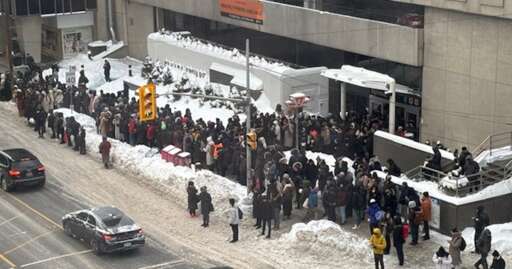
Your rights are being taken away. This may not directly effect you right now, but actions like this are slowly chiseling away at your rights.
If your lawyer can be pressured and prosecuted then you as a citizen cannot defend your rights.